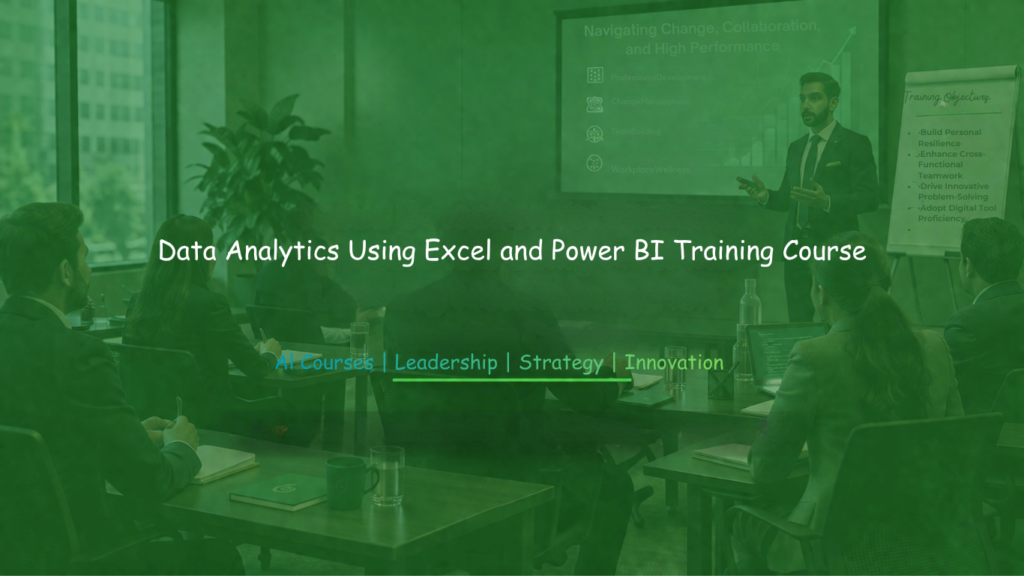
Data Analytics Using Excel and Power BI Training equips professionals with practical skills for analyzing data, generating insights, and creating interactive reports that support informed decision-making. Organizations increasingly depend on accurate information to monitor performance, identify opportunities, solve challenges, and improve operational efficiency. Excel and Power BI provide powerful capabilities for managing data, performing analysis, and presenting findings in ways that are easy to understand and act upon. This training helps participants learn how to prepare datasets, apply analytical techniques, build visual reports, and transform complex information into meaningful business insights. Participants will gain hands-on experience in using both tools to analyze trends, measure performance, and communicate results effectively.
Furthermore, the course focuses on practical workplace applications that improve reporting quality and decision support. Participants will develop confidence in using Excel and Power BI to streamline analysis, enhance data visibility, and drive continuous organizational improvement and growth.
Training Objectives
- Strengthen understanding of data analytics concepts using Excel and Power BI.
- Enhance the ability to collect, organize, and prepare data for analysis.
- Develop practical skills in using Excel functions and Power BI features.
- Improve competency in analyzing trends, patterns, and business performance.
- Build capability in creating dashboards and interactive reports.
- Strengthen data visualization and communication skills.
- Equip participants with techniques for transforming data into actionable insights.
- Enable participants to support evidence-based decision-making through analytics.
Who Should Attend?
- Business Analysts
- Monitoring and Evaluation Professionals
- Project Managers and Coordinators
- Finance and Accounting Personnel
- Operations Managers
- Reporting and Data Officers
- Business Development Professionals
- Researchers and Data Specialists
- Entrepreneurs and Business Owners
- Professionals responsible for performance monitoring and reporting
Training Summary
This practical and interactive training focuses on helping participants use Excel and Power BI to analyze information, visualize results, and support organizational decision-making. The course explores data preparation, analytical techniques, dashboard creation, performance reporting, and visualization methods. Participants will gain hands-on experience in applying modern analytics tools to solve business challenges and improve reporting effectiveness.
- Understand how Excel and Power BI support data analytics.
- Learn practical techniques for preparing and analyzing datasets.
- Strengthen dashboard design and reporting capabilities.
- Improve performance measurement and trend analysis skills.
- Develop data-driven approaches to planning and decision-making.
Key Takeaways
- Comprehensive understanding of data analytics using Excel and Power BI.
- Enhanced ability to manage and analyze business information.
- Improved competency in creating interactive dashboards and reports.
- Practical skills in data visualization and performance monitoring.
- Greater confidence in interpreting analytical findings.
- Stronger capability to support strategic and operational decisions.
- Improved efficiency in reporting and business analysis processes.
Course Outline
Day 1: Preparing Data for Analysis
- Understanding the role of analytics in modern organizations.
- Importing and organizing datasets in Excel.
- Structuring information for analytical activities.
- Cleaning and validating business data.
- Managing missing and inconsistent records.
- Applying data quality improvement techniques.
- Preparing datasets for reporting and visualization.
Day 2: Data Analysis Using Excel
- Applying formulas and functions for analysis.
- Using lookup and logical functions effectively.
- Performing trend and comparative analysis.
- Creating PivotTables for data summarization.
- Measuring key business performance indicators.
- Exploring patterns and relationships in data.
- Generating insights from analytical outputs.
Day 3: Data Modeling and Transformation in Power BI
- Understanding the Power BI environment and workflow.
- Importing data from multiple sources.
- Transforming and shaping datasets.
- Creating relationships between data tables.
- Building data models for reporting purposes.
- Managing calculated columns and measures.
- Preparing data for dashboard development.
Day 4: Visualization and Dashboard Design
- Creating interactive charts and visual reports.
- Selecting suitable visuals for different data types.
- Designing dashboards for management reporting.
- Monitoring performance through visual indicators.
- Enhancing user interaction with report features.
- Presenting analytical findings effectively.
- Applying best practices in dashboard development.
Day 5: Analytics for Business Performance and Decision Support
- Using analytics to improve operational performance.
- Evaluating business trends and opportunities.
- Supporting planning and forecasting activities.
- Developing actionable recommendations from data.
- Communicating insights to stakeholders.
- Solving business challenges through analytics.
- Creating action plans based on analytical evidence.
Training Methodology
This training course uses a practical and technology-focused learning approach that strengthens analytical, reporting, and visualization capabilities using Excel and Power BI.
Methodology includes:
- Guided demonstrations of Excel and Power BI tools.
- Hands-on exercises using real-world datasets.
- Practical case studies from business and development sectors.
- Interactive workshops focused on analytical challenges.
- Group discussions on reporting and decision-making practices.
- Scenario-based assignments on dashboard development.
- Practical sessions on visualization, analysis, and performance reporting.
Certification
Upon successful completion of the training, participants will receive a Certificate of Completion in Data Analytics Using Excel and Power BI Training issued by Vision Reach Global Consultancy.
| Location | Duration | Fee | Language | |
|---|---|---|---|---|
| Online, Virtual | Mon - Fri (5 Days) | USD 800 | 80,000 KES | English | Book Next Session → |
| Nairobi, Kenya | Mon - Fri (5 Days) | USD 1500 |110,000 KES | English | Book Next Session → |
| Mombasa, Kenya | Mon - Fri (5 Days) | USD 1500 |115,000 KES | English | Book Next Session → |
| Kisumu, Kenya | Mon - Fri (5 Days) | USD 1500 |115,000 KES | English | Book Next Session → |
| Naivasha, Kenya | Mon - Fri (5 Days) | USD 1500 |110,000 KES | English | Book Next Session → |
| Cape Town, South Africa | Mon - Fri (5 Days) | USD 3,600 | English | Book Next Session → |
| Pretoria, South Africa | Mon - Fri (5 Days) | USD 3,200 | English | Book Next Session → |
| Johanessburg, South Africa | Mon - Fri (5 Days) | USD 3,400 | English | Book Next Session → |
| Zanzibar, Tanzania | Mon - Fri (5 Days) | USD 2,600 | English | Book Next Session → |
| Dar es Salaam, Tanzania | Mon - Fri (5 Days) | USD 2,000 | English | Book Next Session → |
| Arusha, Tanzania | Mon - Fri (5 Days) | USD 1,900 | English | Book Next Session → |
| Dodoma, Tanzania | Mon - Fri (5 Days) | USD 1,800 | English | Book Next Session → |
| Kigali, Rwanda | Mon - Fri (5 Days) | USD 1,900 | English | Book Next Session → |
| Kampala, Uganda | Mon - Fri (5 Days) | USD 1,900 | English | Book Next Session → |
| Dubai, UAE | Mon - Fri (5 Days) | USD 3,800 | English | Book Next Session → |
| Abuja, Nigeria | Mon - Fri (5 Days) | USD 2,800 | English | Book Next Session → |
| Lagos, Nigeria | Mon - Fri (5 Days) | USD 2,800 | English | Book Next Session → |
| Accra, Ghana | Mon - Fri (5 Days) | USD 5,500 | English | Book Next Session → |